Appearance
User Guide for using Bybit Wallet
Here's a step-by-step guide that will help you create your Bybit Wallet and easily use it within the Merchant Moe platform.
Creating your Bybit Wallet
- Please start by heading to the Bybit Web3 page ➡ Link
- Click on Connect Wallet in the upper right corner of the Bybit Web3 page. Then select Bybit Wallet.
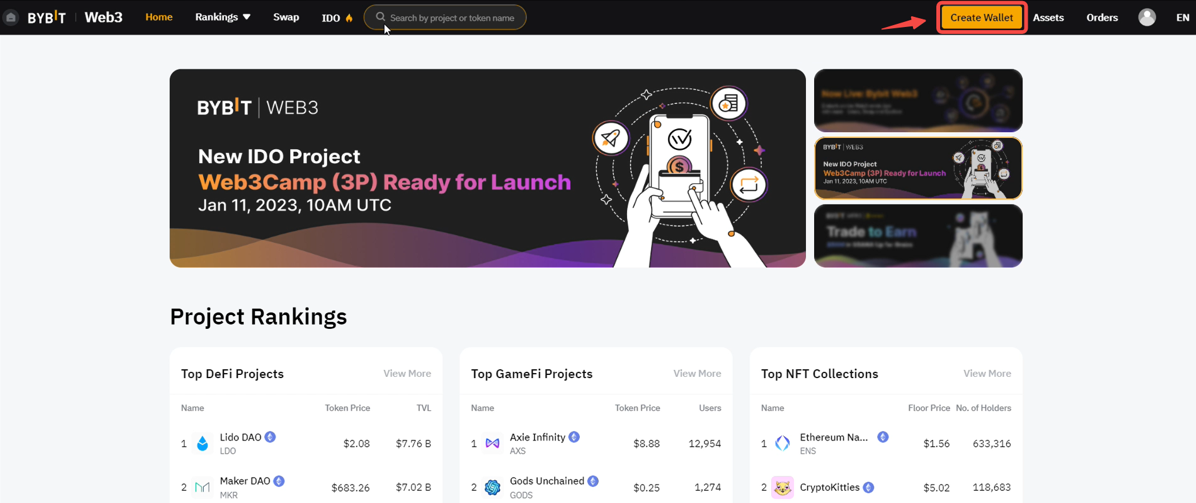
- Click on Create Now to create your Bybit Wallet. Once successful, it will display that your Bybit Wallet has been created.
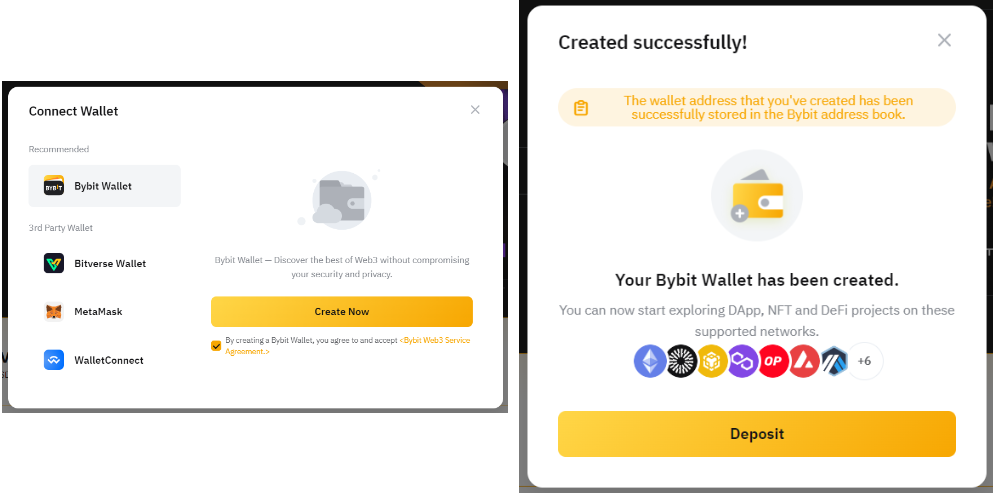
- Check out the various tokens and blockchains supported on the Bybit Wallet by simply opening your Bybit Wallet page to check on the available options.
Connecting your Bybit Wallet to a Merchant Moe
- Visit the Chrome Web Store and search for Bybit Wallet, then click on the Bybit Wallet page.
- Click on Add to Chrome to install the Bybit Wallet extension. Then, tap on Add extension.
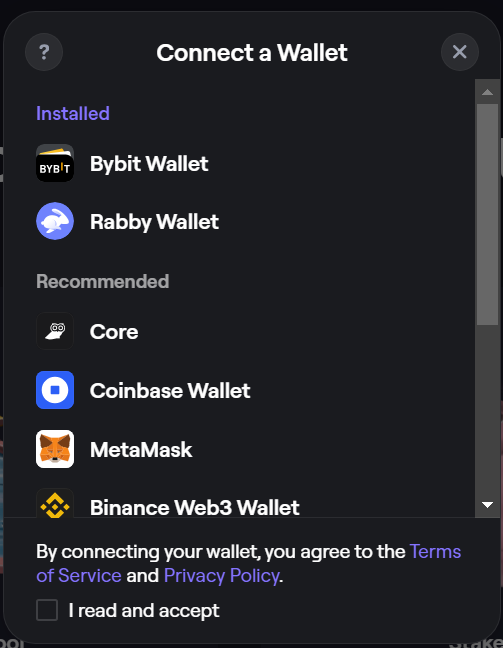
- Click on Connect Wallet in the upper right corner of the Merchant Moe site.
- Read and accept terms.
- Select Bybit Wallet to Create or Link to your Bybit Wallet.
- You're all set. Begin using Merchant Moe to access DeFi on Mantle.